The Vercel Breach: What Every Bootstrapper Building With AI Needs to Do This Week
Vercel's April 2026 breach is a reminder for bootstrappers to audit OAuth access, mark secrets sensitive, rotate keys, and build real defense in depth.
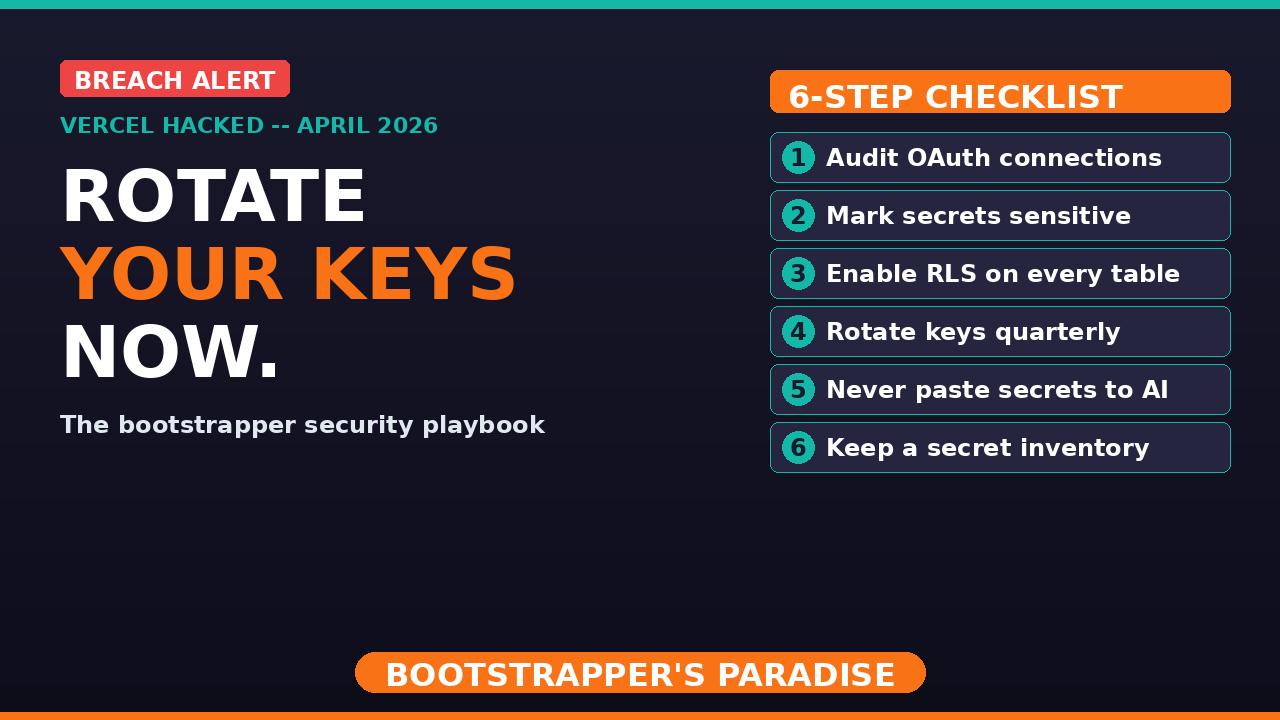
Vercel just got hacked.
Hackers are on online forums right now attempting to sell internal Vercel data — employee records, API keys, source code, and customer environment variables.
If you ship your SaaS on Vercel like I do, you heard that and your stomach dropped a little. Mine did too.
So I checked my own exposure. What I found is a useful story because it taught me something every bootstrapper building with AI right now needs to understand.
Security in the AI era is not about paranoia. It's about layers.
Let's talk about what happened, what to actually do about it, and the security playbook you should be rolling with today.
What Happened
On April 19, 2026, Vercel disclosed a security incident. Attackers got into some of their internal systems. Here's how it happened.
The entry point was not Vercel's infrastructure. It was a third-party AI tool called Context.AI, which a Vercel employee was using.
The attackers compromised Context.AI's Google Workspace OAuth connection. They used that to take over the employee's Google account, and from there walked into parts of Vercel's internal environment.
What did they access?
- Environment variables from customer projects — specifically the ones that were not marked as sensitive
- Variables that were marked as sensitive are encrypted at rest, and Vercel says those were not accessed
On a hacker forum, someone posted that they're selling the data for about $2 million. That includes internal database dumps, employee info, GitHub tokens, npm tokens, and source code fragments. Some of that is verified. Some of it is real.
The point for us is simple. If you've hosted anything on Vercel and you had unencrypted environment variables sitting there, treat them as potentially exposed. That's not panic. That's just making the right assumption.
Why This Matters More in the AI Era
Let's think about how this breach actually started.
It didn't start with a zero-day in Vercel servers. It started with an OAuth connection to a third-party AI tool.
That is the new attack surface in the AI era.
Every OAuth connection you approve. Every time you click allow this AI tool to access my Google Workspace, my GitHub, my Slack — that is a new door into your stack.
And we all click through those prompts quickly. We're bootstrappers. We move fast. We want the AI integration to work.
But every one of those tokens is a credential. If that AI tool gets compromised, the attacker suddenly has standing access to your account.
This is the asymmetry that gets less attention than it should. AI has sped us up, but it has also enabled attackers more than ever. Reporting on this breach called it significantly accelerated by AI. That matters.
We are not just building with AI. We are also being attacked by AI. Our security practices must evolve at the same speed our tooling evolves.
What I Did When I Saw the News
I logged into my Vercel account and went through every environment in every project. For each environment variable, I asked myself an obvious question that almost nobody actually asks:
If an attacker had this value right now, what could they realistically do with it?
Here's what I found.
The vast majority of my Vercel environment variables were client-side prefixed in Next.js — something like `NEXT_PUBLIC_`. Those values get baked into every JavaScript bundle that ships to every user's browser. Meaning anyone who loads my site can already read those values by opening DevTools.
They're not secrets. They were never secrets. The attacker having them gives them pretty much nothing I didn't already give to every visitor at clockless.com (my legal SaaS billing app).
The other bucket was server-side values — my database connection string, my Stripe secret key, my session signing secrets. Those matter. Those need to be treated seriously.
When I reviewed them, the server-side ones were marked sensitive. So per Vercel's disclosure they weren't accessed. But I'm rotating them anyway. The bootstrapper move when the rumor is maybe compromised is just to rotate. Takes a few minutes. Lets me sleep at night.
If you're unfamiliar, rotating means changing them so the old values are no longer valid. Good practice to adopt regularly regardless.
The Two Kinds of Environment Variables
This is the insight I want every bootstrapper to internalize. There are two very different kinds of environment variables, and treating them the same is what puts your SaaS at risk.
Type 1: Public client-side values.
- Stripe publishable key
- Supabase public URL
- Analytics project key
These are designed to be in the browser. They're not secrets. The whole point is that a browser needs them to function. If someone scrapes them off your site, you haven't lost much — you're already serving them up publicly by design.
Type 2: Server-side secrets.
- Service role keys
- Database URLs with write access
- API keys to third parties you charge against
- Session signing secrets
- Payment processor secret keys
These are the crown jewels. These never belong in a client bundle. Never get logged. Never get pasted into a Slack channel. And if any of them are on a platform like Vercel, they should get marked sensitive — encrypted at rest, meaning once set, no one can access them. Not even you. Stealing them wouldn't be of much value to anyone.
Knowing which bucket each variable belongs to is a five-minute audit. Do it today.
If you find a server-side key sitting unmarked, that's the one to rotate first and mark sensitive going forward.
Defense in Depth: The Reason This Wasn't a Disaster
The reason my client-side environment variables being exposed isn't a disaster is because I have other layers of protection around them.
The biggest one is Row-Level Security (RLS) at the database level in Supabase and Postgres. RLS policies mean that even if an attacker had my public key — the one literally in the browser — they can't just run a query to read every user's data. The database itself checks who is authenticated and what rows they're allowed to see on every single query.
That's defense in depth.
You don't protect your app by making one wall really high. You protect it by making sure if one wall gets climbed, there are three more walls behind it.
- Auth on the API
- Rate limits
- RLS at the database level
- Server-only secrets, never in client bundles
- Audit logs
- Kill switches
Every one of those is a layer. Any bootstrapper who treats their public API key as their only line of defense is one dropped environment variable away from losing their business.
Don't be that person. Build the layers.
Here's the truth — most hackers are looking for low-hanging fruit. If you put proper protections in place, what they're trying to do becomes counterproductive. They'll move on and find easier targets.
Two Specific Actions to Take Today
Step 1: Mark any server-side environment variables as sensitive.
On Vercel it's a toggle on each environment variable. When you mark it sensitive, the value gets encrypted at rest.
Remember: you will not be able to read the value back through the dashboard anymore either. Some people get weirded out by that. Don't. That's the whole point. If you can't read it through the dashboard, neither can an attacker who compromises the dashboard.
You still have it in your password manager or your local environment file where it belongs. And remember — you never commit those, especially to GitHub. Worst case, you can always rotate.
Step 2: Rotate your keys on a schedule.
Every 3 to 6 months for normal operation. Immediately when there's an incident like this one.
Rotating means generating a fresh key with your third-party service, updating Vercel, deploying, and then revoking the old one. Yes, it's annoying. A few minutes per key. Do it anyway.
The next breach is always coming. The question isn't whether your keys leak. It's whether the keys that leak are still valid.
Set a calendar reminder right now. Four times a year. Rotate. Trust me — when breaches happen, you'll be happy you have this practice in place.
The AI-Era Security Checklist for Bootstrappers
Six items. None are enterprise-only. All can be implemented by a solo founder this week.
1. Audit every OAuth connection on your Google, GitHub, Slack, and every other account. Revoke anything you don't actively need. Every AI tool you let into your accounts is a door you need to actively protect.
2. Mark your server-side environment variables as sensitive on Vercel or Netlify or wherever you host. Default to sensitive. Only leave unmarked the stuff that is intentionally public.
3. Enable RLS on every database table that has user data. Supabase, Postgres, same idea. No exceptions.
4. Rotate keys quarterly. Put it on the calendar. Rotate anyway, even if there's no breach. This is just best practice.
5. Never paste real secrets into an AI chat, prompt, or commit to version control. I know it's tempting. Use references or placeholders instead. AI doesn't need the real key to help you write the code that uses it.
6. Keep an inventory of where your secrets live. If I asked you right now to list every API key tied to your business, could you? If no, that's a problem. If yes, is it password protected? If no to either, fix that right away.
Six items. That's the bar. Most bootstrappers are at maybe one or two. Get to six.
Your Plan for This Week
If you're running anything on Vercel or similar:
Day 1 — Log into Vercel. Go to every project, then to the environment variables. For each one, ask yourself: is this value safe to be public? If no, mark sensitive immediately.
Day 2 — Go to every service where you have an API key that touches Vercel. Stripe. Supabase. Your email provider. Your OAuth provider. Generate new keys. Update Vercel. Revoke the old keys.
Day 3 — Audit your OAuth connections. Google Admin Console. GitHub organization settings. Slack connected apps. Revoke anything you don't recognize or don't use.
Day 4 — Check your RLS policies. If you're on Supabase, go into the table editor and confirm every table with user data has policies restricting access by user ID.
Day 5 — Write down your secret inventory. Ideally in a password manager. Every third-party service where the key lives. When it was last rotated. Somewhere you'll actually revisit.
A week's worth of work spread across five days. At the end of it you've done more for your security posture than 90% of bootstrappers in the AI era.
The Mindset Piece
You cannot build a fortress. You don't have a security team. You don't have a compliance officer. You're probably just you and a laptop.
But you also don't need a fortress.
You need reasonable layers of protection. You need to assume any one layer may eventually fail. And you need a plan for what happens when it does.
That's it.
- A compromised client-side key should not end your business
- A compromised server-side key should not end your business
- A vendor breach should not end your business
Each of those is a Tuesday you lose to a rotation. Not a funeral for your SaaS.
If you build it that way from day one, incidents like the Vercel breach become an inconvenience, not an extinction-level event.
That's the goal.
Want Help?
If you want private one-on-one help sorting out your security for your bootstrap SaaS, check out my private coaching options at bootstrappersparadise.com.
And if you're new to building bootstrap SaaS in the AI era, sign up for the free 5-day email course that walks through my entire process for designing and launching a successful SaaS business:
- Free 5-Day Email Course — bootstrappersparadise.com
- SaaS Idea Validator — tools.bootstrappersparadise.com/validator
- Problem Finder — tools.bootstrappersparadise.com/problem-finder
- Pricing Calculator — tools.bootstrappersparadise.com/pricing
Audit your environment variables today. Rotate your keys this month. Build layers of protection in.
Sean is building Clockless, a legal billing SaaS, in public at bootstrappersparadise.com. Join the free 5-day email course to learn the bootstrapper's approach to building SaaS with AI.
Ready to Build Your Own SaaS?
Learn how to go from idea to launch in my free 5-day email course — no coding or big budget required.
Start the Free Course