AI Builds the UI, You Own the UX (UX Design in the AI Era)
AI can make your software beautiful, but you still own the experience. Pretty gets users noticed; intuitive keeps them coming back.
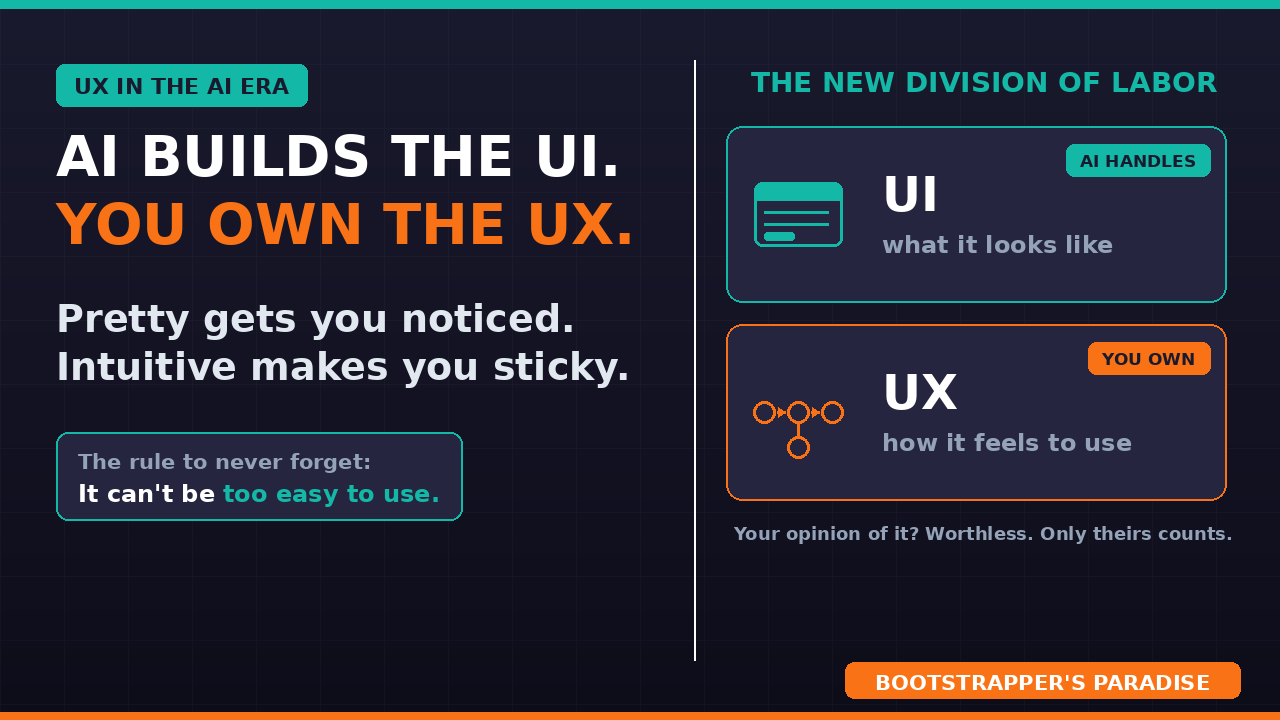
For years, UI and UX were lumped together. Usually the same person or team owned both, and getting them right was one job. Then AI arrived and split them right down the middle.
Quick definitions so we are on the same page. UI is what your software looks like. UX is how it acts, how it feels to actually use. Here is the shift: AI has all but automated the UI design work. It can make your software beautiful almost on its own now. But UX is still very real, still hard, and still exactly what separates software people love from software people abandon.
Well-designed software still wins. So let me show you where to lean on AI, and where you need to take over from there to make your software great.
UI vs UX: what's the difference
Let me make the difference crisp, because it matters more now than ever.
UI, the user interface, is the visual layer: the colors, the layout, the buttons, the polish. It is what your software looks like. UX, the user experience, is the behavioral layer: how the workflows operate, how obvious the next step is, how little the user has to think. It is how your software acts.
For years these were tangled together and owned by the same person or team. That made sense when both were related, hard, and done manually. That is not the world we are in anymore, and not recognizing it will cost you.
AI changed the game
Here is the change that reshapes how you should work.
AI has all but replaced UI design. You can lean on it to generate a genuinely beautiful interface, fast and cheap, in a way that used to take a designer weeks. That is a gift, so take it.
However, so far, UX has not been automated away, at least not all that effectively. Designing software that feels intuitive, that a real human can pick up and just use right away, is still a genuine challenge, and it matters, because well-designed software still wins. Pretty gets you noticed. Intuitive makes you sticky.
The new division of labor
So here is the new division of labor, and I want you to internalize it.
Lean hard on AI for the UI design. Let it make things beautiful. Do not spend your limited hours hand-crafting pixels the AI can nail for you. That is a solved problem now.
Then spend those reclaimed hours where they will actually move the needle: the UX design. Be particular about it. Obsess over how intuitive your workflows are, because that is the part AI cannot just one-shot. Great looks are automated. A great experience is still earned, mostly through iteration and testing.
Simplicity is the hard part
One of my favorite quotes captures this perfectly: "Simplicity is the ultimate sophistication." It is most often attributed to Leonardo da Vinci, though that attribution is disputed, and it became the design principle that Apple built an entire culture around.
Here is what it means to me. Making something simple and easy to use, yet still powerful, can be incredibly difficult. It borders on art, depending on how you look at it. Anyone can make a powerful tool that is complicated. Making a powerful tool that feels simple is the real skill.
This hits hardest for those of you, like me, building B2B SaaS. B2B software is often incredibly powerful, and powerful usually means complex under the hood. Your job is to hide that complexity behind an experience that feels effortless. That is the whole game.
Your software can never be too easy to use
Here is a guiding principle I want you to keep in your head forever. Your software can never be too easy to use.
Let me give you a goal that sounds a little crazy. You should be aiming for the day a user tells you your software is too easy to use, too simple, too intuitive. Now, they will never actually say that. No user in history has ever complained that something was too easy. But that impossible bar should still be your target, because it points you in exactly the right direction, every single time.
So design every workflow to be as simple and intuitive as you can make it. Then test it. Then do it again. Remember, it can never be too easy to use.
Design, test, repeat — forever
Here is the part people underestimate. This is not set-and-forget.
The loop is simple: design a workflow to be intuitive, test it with real people, then repeat. Here is the catch that makes it continuous, though. If you do strike that great balance, you are not done, because you will keep adding functionality to your software over time. Every new feature is new UX you should strive to get just right.
So this becomes an ongoing investment, basically forever. The teams that win do not do a UX pass once and move on. They keep these principles in mind and re-earn that simplicity with every single thing they add.
Your opinion doesn't matter
Last one, and it is the one that can be a little jarring. When it comes to your UX, your opinion does not matter. Mine does not either.
Think about it. Of course your software feels intuitive to you. You designed it. You know where everything is because you decided where everything goes. Your sense of how easy it is to use is completely worthless as a measure, because you are the most biased person on earth about it.
The only thing that matters is whether your users and your customers feel that way. Those opinions are genuinely tricky to get. People often will not volunteer them, and most of the time they will either not care to or be too polite to tell you the truth. So you have to invest here too: watch real sessions, ask the right questions, and pay attention to how they actually behave, not just what they say. Actions often speak louder than words here.
Your playbook to follow
- Lean on AI for a beautiful UI. It is basically automated now.
- Own the UX yourself. Intuitive design is the real challenge.
- Chase "too easy to use." Simple yet powerful is the goal.
- Design, test, repeat, and keep investing as you add features.
- Judge it by your users' experience, never your own.
Well-designed software wins
So that is the shift. Let AI make it beautiful, then pour your energy into making it feel effortless, because well-designed software still wins, and now you have the time to focus on the part that really matters.
If you want the full framework for building, shipping, and growing a SaaS in this AI era, my free 5-day email course walks you through all of it. If you want me looking at your product and your workflows with you directly, I coach a small number of founders through my private coaching program.
Make it beautiful, make it effortless, and I will see you in the next video.
Ready to Build Your Own SaaS?
Learn how to go from idea to launch in my free 5-day email course — no coding or big budget required.
Start the Free Course